
Included In

Personal Architect

Pro Architect

Building Essentials

Construction Suite
Import OBJ files
OBJECT WIZARD AND ALL CUSTOM BLOCK ELEMENTS
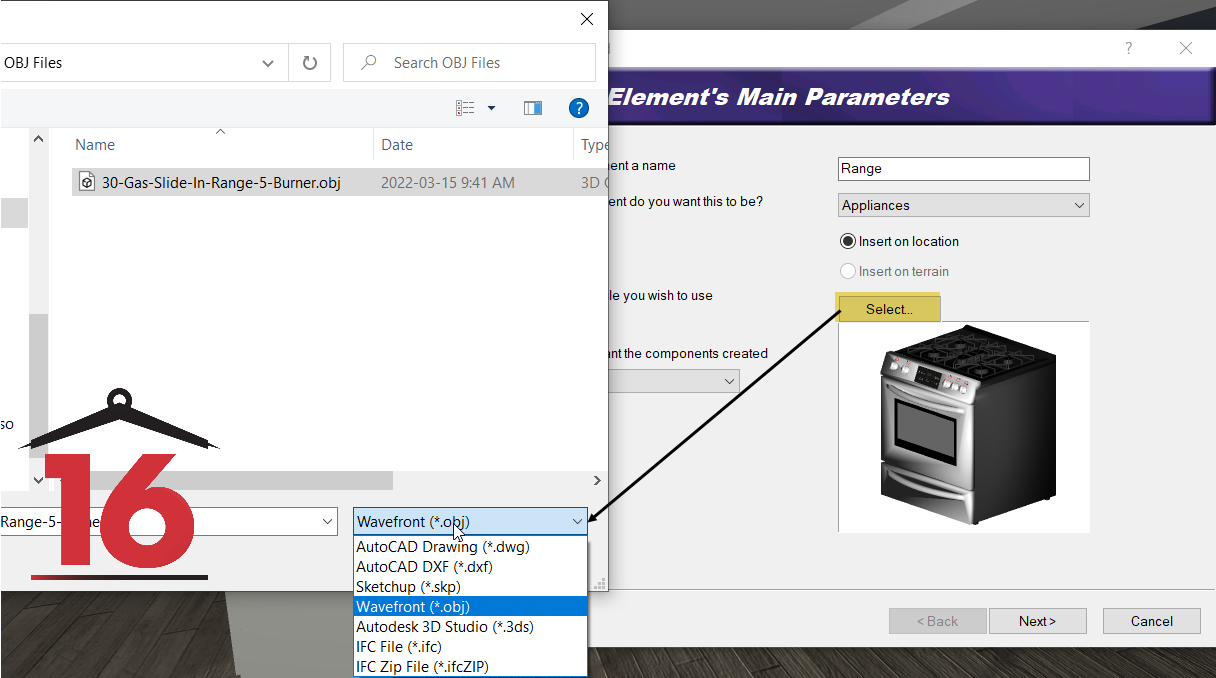
Envisioneer is expanding integrations again through the ability to import .obj files. An OBJ file is a standard 3D format created in various 3D image editing programs.
Align Objects Tool
3D objects can now be evenly aligned to one primary object or aligned within the selection of the group. Envisioneer recognizes 6 different alignment options to ensure you can get the alignment just right. This new tool will make it easier to layout objects efficiently and accurately.
Distribute Objects Tool
3D objects can now be evenly distributed. Select the objects and it will select from a variety of options to distribute the objects. It can take the overall spacing from the first and last object and then distribute items and equal distance apart between that boundary or distribute items based on their center line or an edge. This new tool will make it easier to layout objects efficiently and accurately.
Corner Doors
Modern aesthetics include corner doors in the design. Therefore, Envisioneer now includes corner door options to use in your designs. The doors can be connected by the glass or the frame to create a single corner unit.
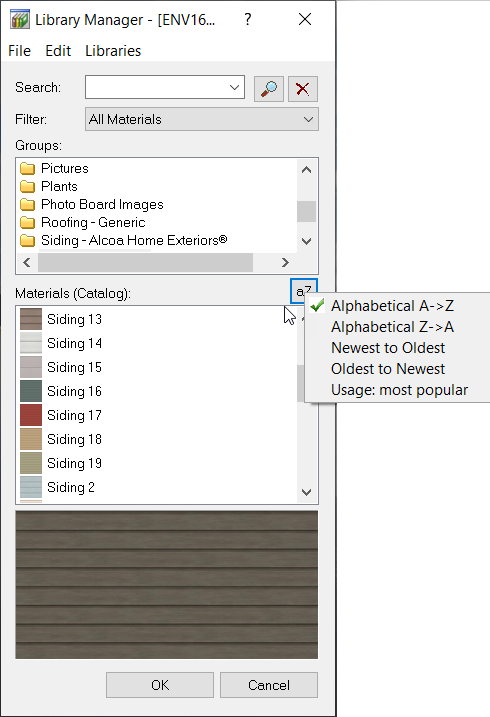
Sort Materials
Alphabetically, By Insertion, By Most Popular
As you search for the perfect material to use in your design, Envisioneer now makes it one step easier by organizing materials alphabetically, by insertion, or by the most popular materials. Making it easier to find the perfect materials.
Support for Highly Detailed Blocks (VLB)
3D blocks found on the internet can be very large and bog down a model when imported into a project. Envisioneer now supports highly detailed blocks and stores them outside the catalog, so the large blocks don’t slow down the system. In addition, upon insertion, you can define a 2D plan view and elevation view. When the block inserts it looks good in plan view, in elevation and in a 3D view.The new import option for large blocks will make navigating in a model or generating working drawings faster when larger blocks are present.
Full 3D Tree and Plant Library Built
The tree and plant library now includes fully detailed realistic 3D trees and plants that have 2D representation. The new trees and plants will improve the look of a 3D model and cast appropriate shadows.
Windows 11 Compliant
Envisioneer has been tested and updated to Microsoft Windows™ 11 compliance.

IFC Enhancements
Envisioneer has expanded the functionality of IFC import and export. Additional elements types are supported in both import and export.
Envisioneer will now allow you to choose what IFC elements you want to import and set the default floor location settings when importing an IFC component.
IFC Export now supports 4.0 specifications. IFC import now supports 4.2 specifications.

Speed Improvement
Envisioneer now has enhanced speed during editing and inserting elements in a model. The added speed will make designing more efficient.
Solid Fill from a Quick Key
Solid fill can change the appearance of a floor plan from a working drawing to a presentation plan. Now you can turn on and off solid fill very easily with a Quick Key or by toggling the icon in the lower right of the desktop.
Ability to add/remove windows from door schedules via Quantity page
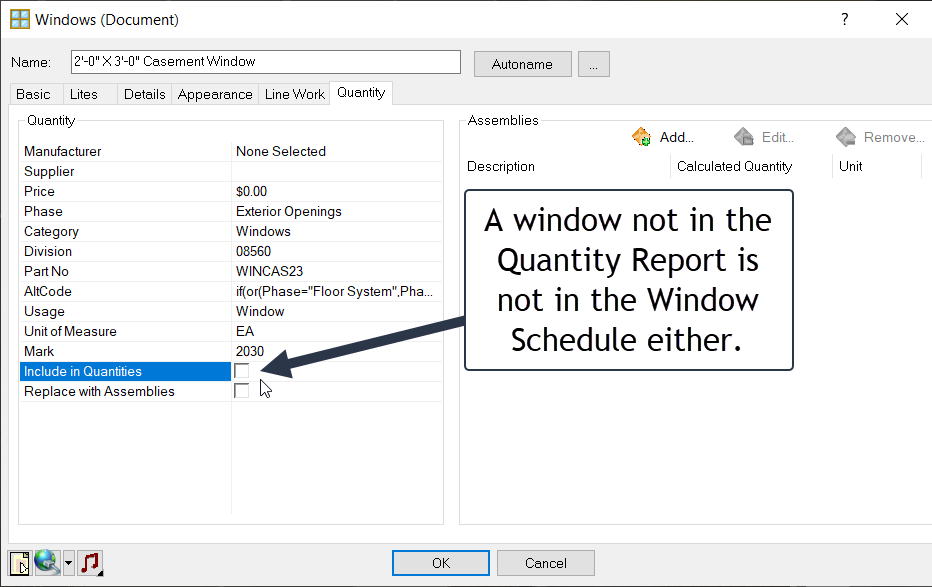
To expand the capabilities of the window and door schedules, Envisioneer version 16 includes the ability to add and remove windows and doors from a schedule. Removal is advantageous in remodel projects to disclude existing doors and windows. Simply set a window and door to not be included in the quantities and it will also not show up in the schedule.
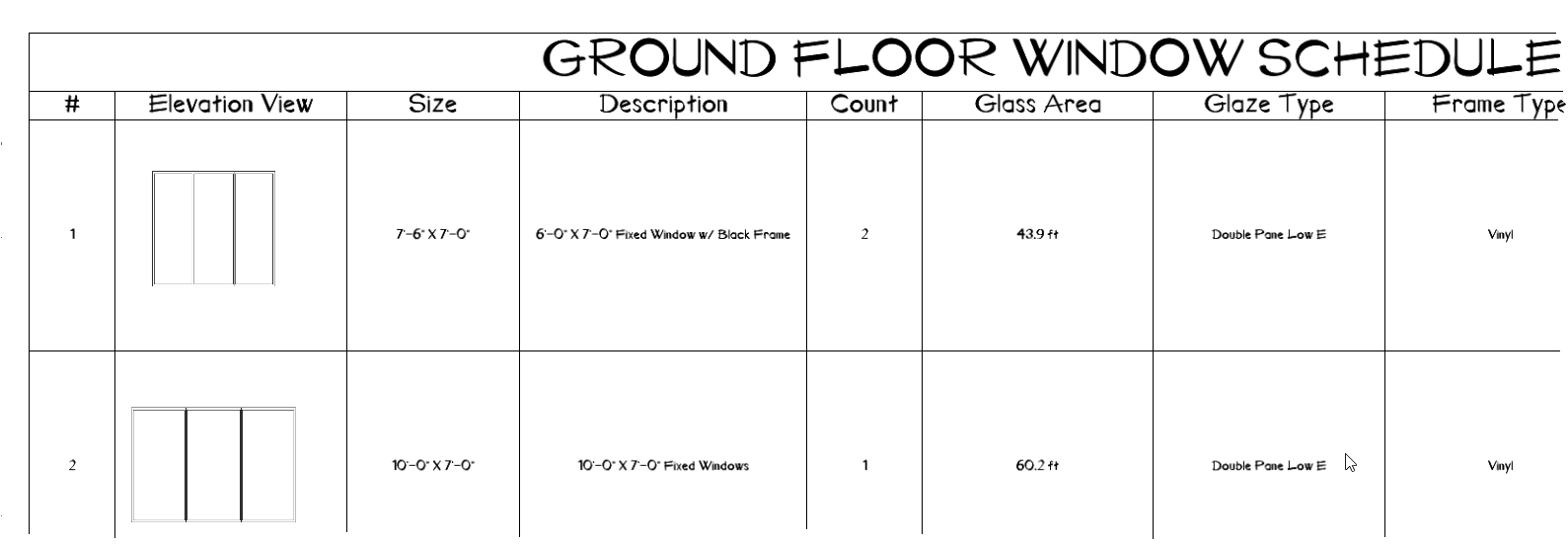
Elevation views in Door and Window schedules
Window and Door Schedules can now include an elevational view of the door or window in the schedule. Optional elevational visuals add increased flexibility for working drawing information.
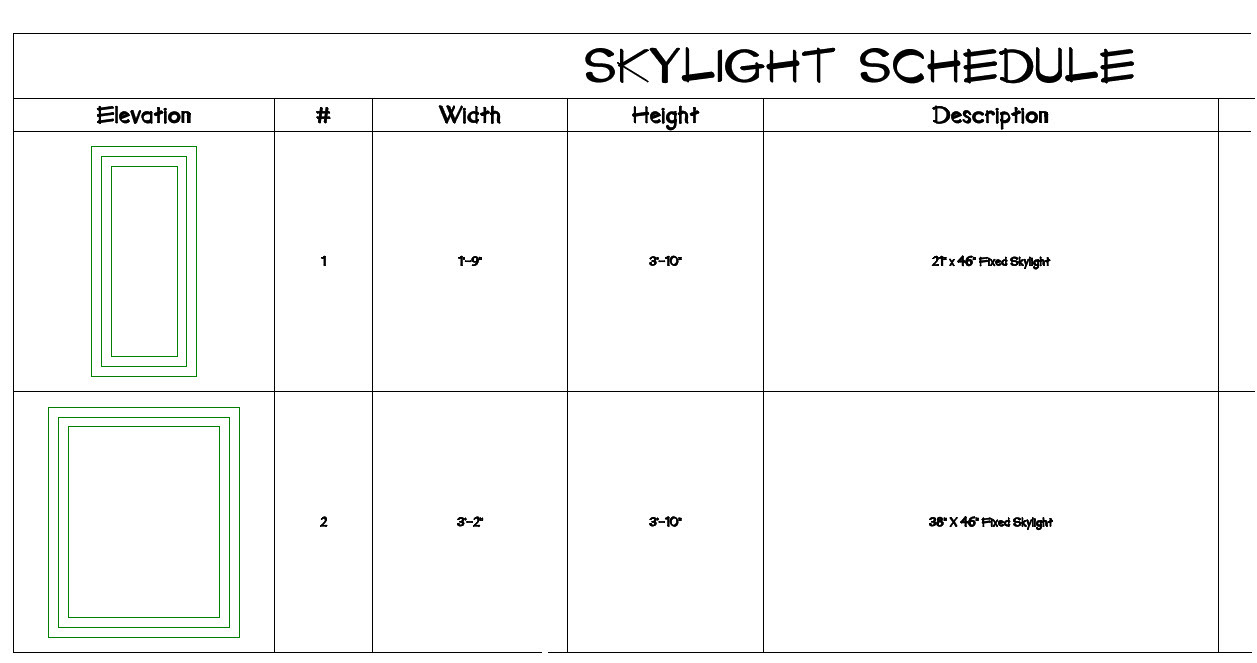
Include skylights in the window schedule
Skylights can now appear in Window Schedules. The addition of skylights in the schedules helps to document the building further.
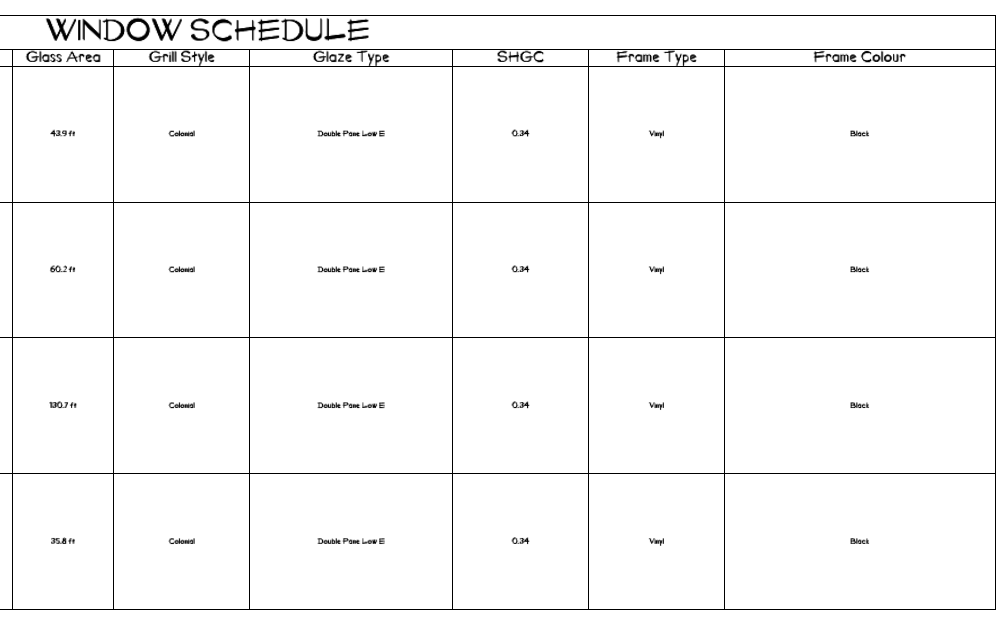
Window Schedule Has New Content
The window schedule now includes automatic content from the window to publish the grill Style, Glass Area, Frame Type, Frame Color, Glaze Type and SHGC values. This makes it easy to pass this valuable information on to all stakeholders.
Roof Framing Purlins
Adding to the already robust framing options in Envisioneer, purlins or otherwise known as roof battens, can now be specified with the roof framing members. Laying horizontally along the roof, the members sit on top of the roof rafters at set spacing—another way Envisioneer offers accuracy in material reporting.
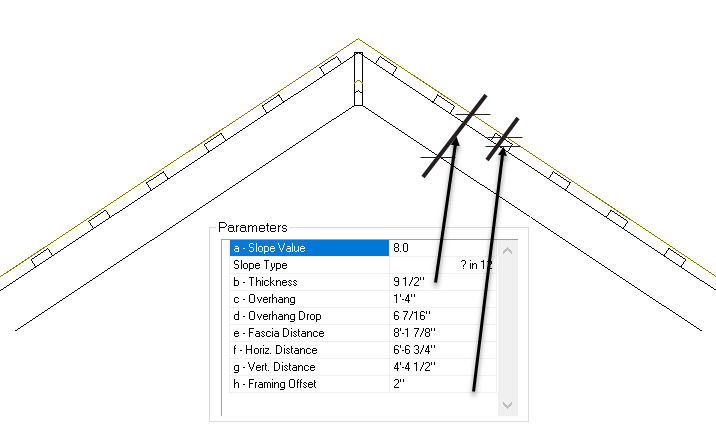
Members Held below Roof Surface.
A roof and its framing components operate as a single unit, but you can display the framing members separately. Envisioneer includes a new Framing offset option to recognize the space between the top of the framing members and the lower edge of the roof finish so they are displayed at accurate heights.
Structural Floor in All Applicable Building Wizards
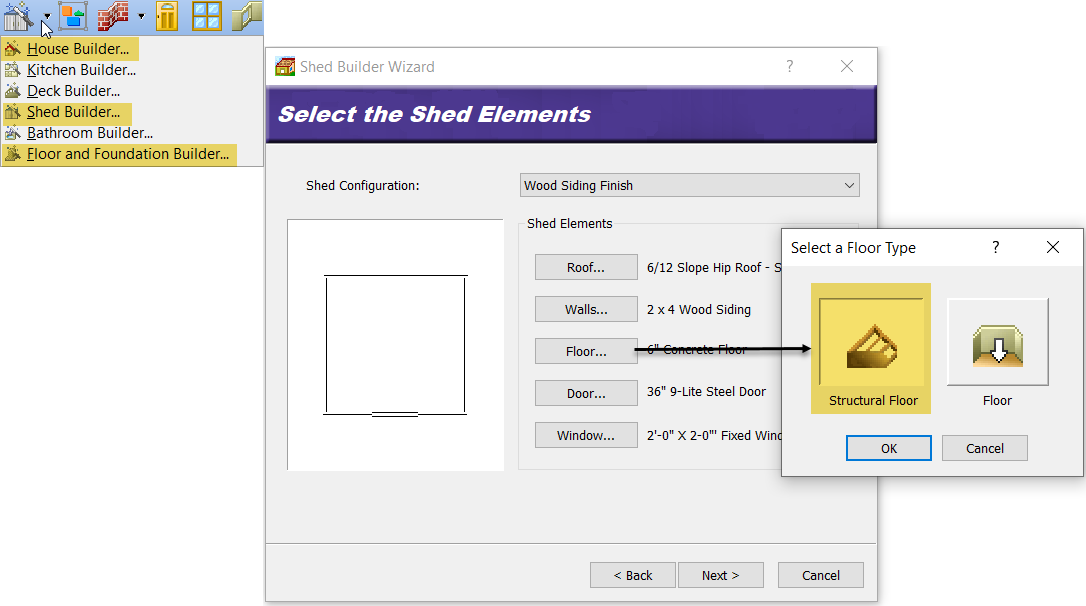
The House Builder, Shed Builder, and Floor and Foundation Builder Wizards can now utilize a structural floor when defining the structure. Specifying a structural floor allows for greater accuracy and material specifications when designing.
UPGRADE PURCHASE LINK
Envisioneer upgrades are available in our store. To purchase an upgrade contact sales or buy online
Buy or Upgrade